


Workflow automation is the backbone of modern business operations. But most automations are "dumb"—they move data from point A to point B without understanding what that data actually means. Today, we're changing that for n8n users with the release of the official Sentor AI node.
Why precision matters in automation
Traditional sentiment analysis often fails in automated workflows because it provides a single score for an entire message. If a customer says "I love the product but the shipping was slow," a basic tool might just label it "Neutral."
Sentor AI's entity-level analysis identifies exactly what the customer is talking about. In the example above, Sentor identifies Product (Positive) and Shipping (Negative). This granularity allows for intelligent routing: send a "Thank You" to the marketing team and a "Delivery Issue" alert to the logistics team, all in one go.
Getting Started with the Sentor Node
We’ve made it incredibly easy to bring enterprise-grade sentiment analysis into your existing n8n workflows. No more complex Python scripts or manual API calls.
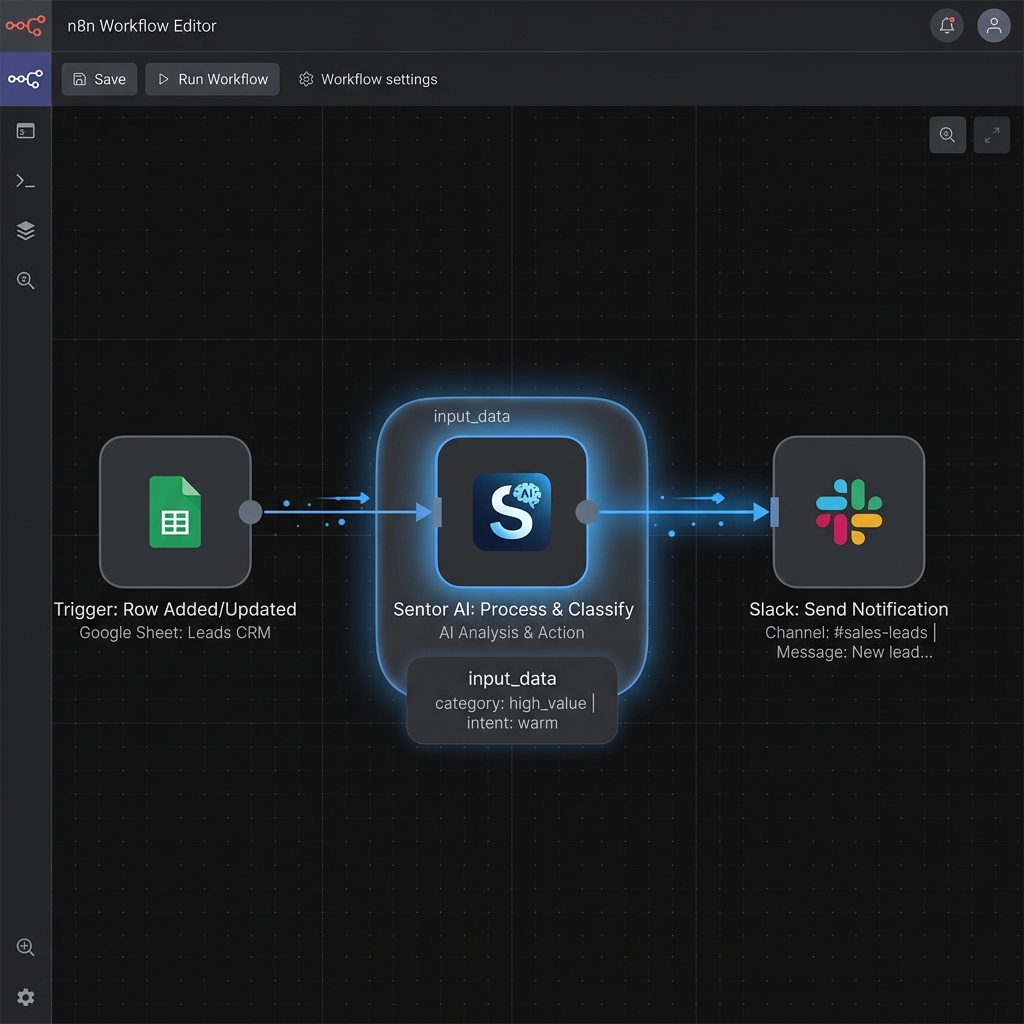
A typical automated workflow: Triggering sentiment analysis from Google Sheets and routing results to Slack.
- Installation: Open your n8n instance, go to Settings > Community Nodes, and search for
n8n-nodes-sentor. Click Install. - API Key: Grab your API key from the Sentor Dashboard.
- Configuration: Drag the Sentor node into your canvas. You can now analyze sentiment, detect entities, and cluster feedback in real-time.
Real-World Use Cases
- Automated Customer Support: Route negative feedback regarding technical issues directly to your senior engineers while keeping general inquiries in the standard queue.
- Review Monitoring: Automatically monitor App Store and Play Store reviews. If a specific feature receives a sudden spike in negative sentiment, trigger a Slack alert immediately.
- Survey Analysis: Process thousands of open-ended Typeform or SurveyMonkey responses in seconds, grouping them into actionable themes.
"The Sentor node for n8n has reduced our manual review processing time by over 80%, allowing our team to focus on fixing problems instead of just identifying them."
High Performance Batching
We know that some workflows handle thousands of items at once. The Sentor node supports native batching, allowing you to process large datasets efficiently without hitting rate limits or slowing down your instance.
Conclusion
The Sentor AI node for n8n is a "plug-and-play" solution that brings human-level understanding to your business logic. We can't wait to see the intelligent workflows you build.
Ready to start? Check out our full documentation or find the node on npm.